WordPress SEO Content & Topic Cluster Builder
$8.99View skill
We use cookies for anonymous analytics (read more). Accept, decline, or choose for yourself.
Skill · WordPress & Dev
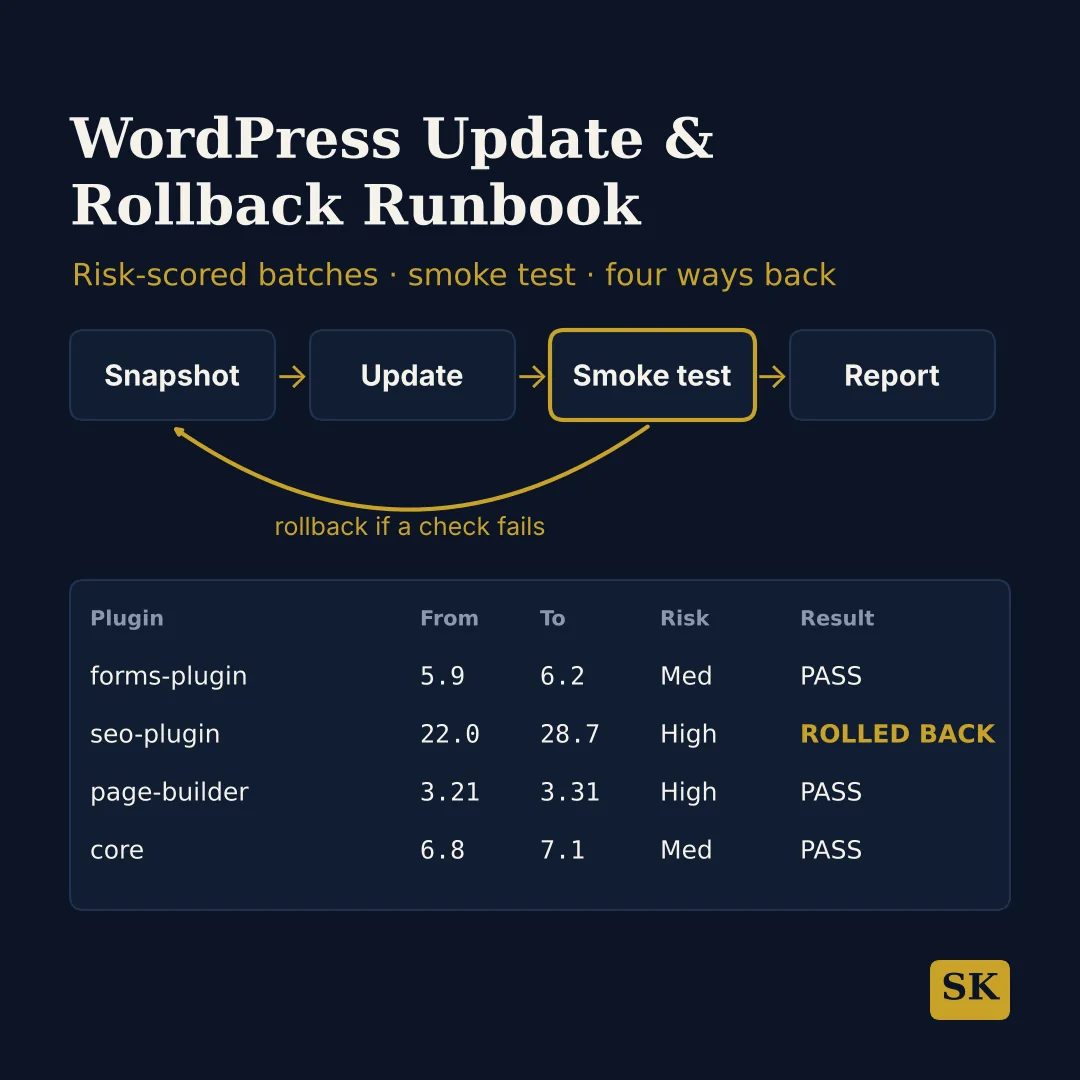
WordPress Update & Rollback Runbook is a Claude skill for WordPress & Dev. Plans a WordPress update window with the way back written down first: an inventory with compatibility checks, risk-scored batches, a rollback manifest, a smoke test, four rollback paths and a client-ready update report. It costs $8.99 on Agensi. It runs on any Claude plan, including Free. Part of the StrategistKit catalog of 190+ focused Claude skills.
10 credits — included with a membership (30 credits/mo).
Prefer a one-time purchase, without joining?
Buy once on Agensi (opens in a new tab)StrategistKit Affiliate. One-time purchase on Agensi. Payment, delivery and refunds are handled by the marketplace — see their policy for refund terms.
Overview
WordPress Update & Rollback Runbook plans an update window so there is a written way back before anything changes. It gives exact WP-CLI commands with shell access and the equivalent click path on managed hosting without it, marks every command that changes the site, and marks its assumptions as (assumed).
A realistic input: "A WooCommerce shop with 7 plugin updates and a pending core update, SSH and WP-CLI, no staging." You get an inventory, a risk-scored plan where Medium and High updates run one at a time, a second database dump right before the WooCommerce update, checkout paused until a checkout test passes, a smoke test for the shop pages and a pre-filled update report.
A trap it checks for: WP-CLI and the website can run different PHP versions. WP-CLI then judges compatibility by the wrong PHP and can install an update the website cannot run, so the site returns 500 while wp eval still reports PHP OK. The plan compares every requires_php against the website's PHP instead.
Who it's for
Agencies and site maintainers who report updates to clients, WooCommerce store owners, and site owners on managed hosting who update without a shell.
What you get
One .skill bundle. Run it on your material and it returns:
How it works
Add the .skill file to your Claude app. About 10 seconds.
Invoke the skill and paste in your material.
Review, keep what works, and use it.
In depth
A copy-paste prompt runs one static pass and stops. A skill is a bundled program — instructions, examples, and a workflow Claude runs as a unit: it asks for the right input, applies the same pattern every time, and returns the structured outputs above.
FAQ
Nothing to start: with no details it builds a full plan for a demo site and says so. For a tailored plan, say whether you have SSH with WP-CLI or only wp-admin, paste your pending updates, and name the flows that make money or leads and your quiet window.
Yes. Without a shell it never tells you to run wp commands. It gives the wp-admin, File Manager and host-backup path for each step, including the rollback.
Yes. If you report a broken site, it leads with the rollback paths for your situation and gives the rest of the plan after that.
No. Database updates (WooCommerce, core) are flagged as one-way unless restored from backup. When a downgrade meets data written by the newer version and the fatal-error count goes up, it goes straight to a full restore of files and database.
No. It plans updates and rollbacks and gives the commands. Writing plugin or theme code and security audits of code are out of scope.
More in WordPress & Dev
Part of these collections