
Conversion Design Architect
$5View skill
We use cookies for anonymous analytics (read more). Accept, decline, or choose for yourself.
Skill · AI & Development
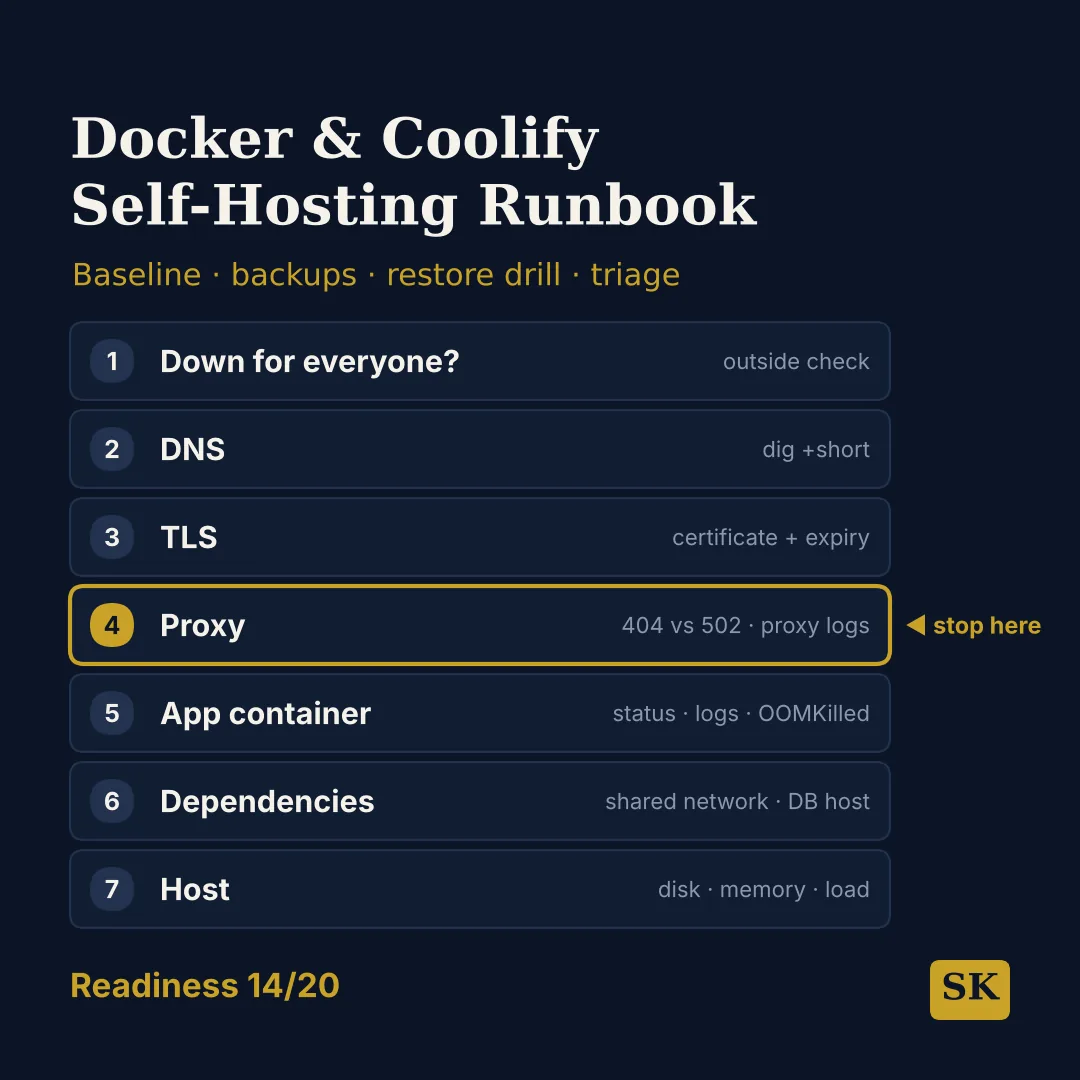
Docker & Coolify Self-Hosting Runbook is a Claude skill for AI & Development. Turns your self-hosted Docker and Coolify stack into a written runbook: a readiness score out of 20, a server baseline, a safe Coolify setup, backups with a restore drill, and an outside-in triage ladder for outages. It costs $8.99 on Agensi. It runs on any Claude plan, including Free. Part of the StrategistKit catalog of 190+ focused Claude skills.
10 credits — included with a membership (30 credits/mo).
Prefer a one-time purchase, without joining?
Buy once on Agensi (opens in a new tab)StrategistKit Affiliate. One-time purchase on Agensi. Payment, delivery and refunds are handled by the marketplace — see their policy for refund terms.
Overview
Docker & Coolify Self-Hosting Runbook writes an operations runbook for apps you run with Docker and Coolify on your own VPS. It gives the exact command for each step, marks every command that deletes, overwrites or restarts, and marks its own assumptions as (assumed) so you can correct them.
A realistic input: "My Coolify app returns 502 right after a redeploy. Ubuntu 22.04, 4 GB RAM, Next.js + Postgres." Because this is an incident, the triage ladder comes first, filled in for the symptom, followed by the fastest safe recovery, the readiness table and the remaining sections in short form.
A sample triage step: the proxy returns 502, so the ladder tests the app from the proxy's side of the network with docker exec coolify-proxy wget. "Connection refused" points to the wrong port or an app that is not listening on all interfaces — for a standalone Next.js server.js, the fix is HOSTNAME=0.0.0.0.
Who it's for
Solo developers and small agencies who self-host apps, databases or WordPress sites with Docker and Coolify on a VPS they manage themselves.
What you get
One .skill bundle. Run it on your material and it returns:
How it works
Add the .skill file to your Claude app. About 10 seconds.
Invoke the skill and paste in your material.
Review, keep what works, and use it.
In depth
A copy-paste prompt runs one static pass and stops. A skill is a bundled program — instructions, examples, and a workflow Claude runs as a unit: it asks for the right input, applies the same pattern every time, and returns the structured outputs above.
FAQ
Nothing to start: with no details it builds the full runbook for a demo stack and says so. For a tailored version, give what runs on the server, the provider, OS and size, where backups can go off the server, how much downtime and data loss you can accept, and your Docker Engine version.
Yes. If you describe an outage, an error code, a full disk or an out-of-memory problem, it puts the triage ladder and the fastest safe recovery first, including any backup that must happen before a fix, and gives the rest in short form.
Commands that delete, overwrite or restart are marked ⚠ changes state and come after the check that proves they are needed. Disk space is freed in a fixed order starting with the build cache, and volumes are never bulk-removed before an off-server backup is verified.
No. It is for a VPS where you have a shell. Kubernetes clusters and managed PaaS hosting without shell access on the server are out of scope.
PostgreSQL, MySQL and MariaDB, with dump, restore-test and readiness-check commands for each, plus archives of named Docker volumes for uploads and files.
More in AI & Development
Part of these collections