Weekly Review Engine
$3.99View skill
Skill · Productivity
Yearly Calendar Template Set Designer is a Claude skill for Productivity. Generates a complete yearly calendar template set spec from a single theme input. It costs $6.99 on PromptBase. It runs on any Claude plan, including Free. Part of the StrategistKit catalog of 190+ focused Claude skills.
10 credits — included with a membership (30 credits/mo).
Prefer a one-time purchase, without joining?
Buy once on PromptBase (opens in a new tab) Also on Agensi — $8.99 (opens in a new tab)StrategistKit Affiliate. One-time purchase on PromptBase. Payment, delivery and refunds are handled by the marketplace — see their policy for refund terms. PromptBase purchases earn us a referral fee.
Overview
Supply one theme — the skill does the rest. Yearly Calendar Template Set Designer takes a single runtime theme input and returns a complete product specification for a 12-month calendar set: page-by-page layout plan, typography and color direction, an SEO-optimized title with 13 keyword tags, paste-ready image generation prompts for each month's artwork, and a print-and-export checklist formatted for KDP and Etsy upload requirements. Nothing is generic; every output section is built around the theme you provide.
A buyer might enter a theme such as 'vintage botanical watercolor' or 'minimalist lunar phases for wellness planners.' From that input the skill produces outputs including: a month-by-month layout sequence specifying cover, divider, and grid page types; a palette and font pairing rationale; an Etsy-ready title under 140 characters with tag strings formatted for direct paste; and a numbered image prompt list — one prompt per month — written to work with standard AI image tools. The print checklist covers bleed, margin, and file format requirements.
Sample structured output excerpt — SEO block: Title: 'Vintage Botanical Watercolor Wall Calendar 2025 | Floral Monthly Planner | Etsy Digital Download | KDP Interior'. Tags: 'botanical calendar, watercolor planner, floral wall calendar, 2025 printable calendar, nature monthly planner [+ 8 more]'. Layout block: Month 1 — full-bleed illustration page (8.5×11), facing grid page, no lined notes section. Month 2 — half-illustration header, grid below, 0.125in bleed all sides.
Who it's for
Etsy sellers and Amazon KDP publishers who produce printable or print-on-demand calendars and want a complete, structured product spec — cover concept through export checklist — without building each element from scratch for every new theme they launch.
What you get
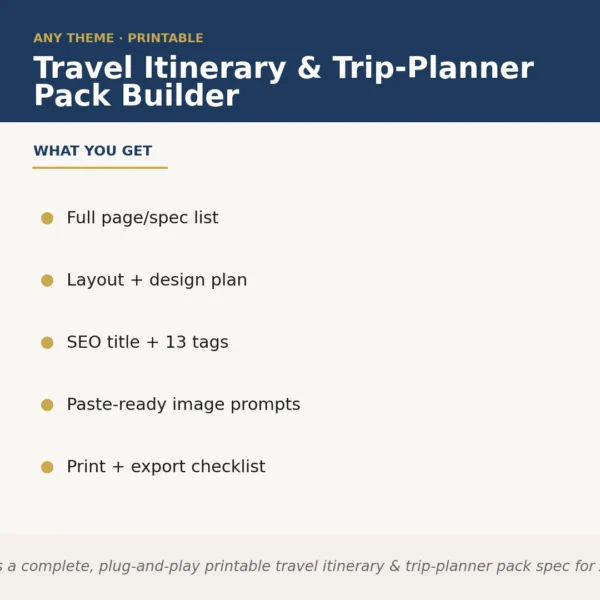
One .skill bundle. Run it on your material and it returns:
How it works
Add the .skill file to your Claude app. About 10 seconds.
Invoke the skill and paste in your material.
Review, keep what works, and use it.
In depth
A copy-paste prompt runs one static pass and stops. A skill is a bundled program — instructions, examples, and a workflow Claude runs as a unit: it asks for the right input, applies the same pattern every time, and returns the structured outputs above.
FAQ
A single theme or topic string — for example, 'retro travel posters' or 'mindfulness and meditation.' The more descriptive your phrase, the more targeted the output, but even a two-word theme produces a full spec.
The print-and-export checklist addresses both platforms, covering KDP interior trim sizes, bleed and margin requirements, and Etsy digital-download file format conventions in the same document.
The prompts are written in plain descriptive language and are not locked to any single tool. They are structured to work with widely used AI image generators without modification.
It returns a specification and design plan, not finished files. You use the spec to build pages in your design tool of choice — the skill removes the planning work, not the production work.
The skill returns exactly 13 tags — matching Etsy's maximum — formatted as comma-separated strings that can be pasted directly into the Etsy tag field without reformatting.
More in Productivity
Part of these collections
We use cookies for anonymous analytics (read more). Accept, decline, or choose for yourself.