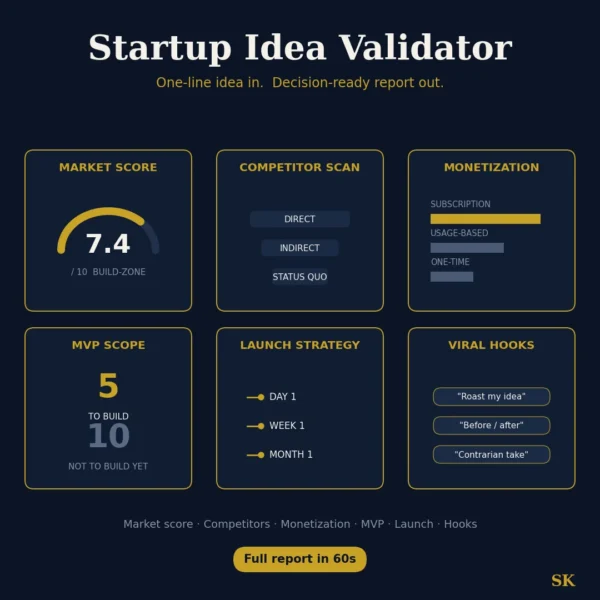
Startup Idea Validator
$8.99View skill
Skill · Business & Consulting
Boardroom LinkedIn Content System is a Claude skill for Business & Consulting. Generate executive LinkedIn content packages including posts, carousels, and strategy in a senior advisor voice. It costs $8.99 on Agensi. It runs on any Claude plan, including Free. Part of the StrategistKit catalog of 190+ focused Claude skills.
10 credits — included with a membership (30 credits/mo).
Prefer a one-time purchase, without joining?
Buy once on Agensi (opens in a new tab)StrategistKit Affiliate. One-time purchase on Agensi. Payment, delivery and refunds are handled by the marketplace — see their policy for refund terms.
Overview
This skill takes a single topic or insight and returns a complete 10-part LinkedIn content package calibrated to a senior advisor voice. Each run produces a strategic voice profile, three hook variations, a full 250-400 word post, a 20-hashtag strategy grouped by reach tier, first-comment scripts, DM reply templates for three reader types, three repost adaptations, a 10-slide carousel outline with visual cues, a LinkedIn headline and About section update, and a five-day posting cadence. Four distinct voices are available: Boardroom Observer, Pattern Spotter, Practical Skeptic, and Diagnostic Coach. The skill enforces hard bans on AI-tell vocabulary, motivation-coach phrases, and generic LinkedIn engagement bait throughout every output.
A buyer supplies five inputs before the skill runs: the topic or insight, their role in one line, their target audience, a preferred voice, and an optional anchoring story or example. For instance, a management consultant might enter: topic is 'why transformation programmes stall at layer three', role is 'M&A integration advisor, 20 years', audience is 'CFOs and COOs at mid-market manufacturers', voice is Practical Skeptic, and a story about a recent client where budget was approved but middle management never received a mandate. The skill then builds the full package around that specific material, not a generic version of the topic.
A sample excerpt from Output 3 (Full Post) using the Practical Skeptic voice on that input might open: 'The budget was approved in Q1. The consultants were contracted in Q2. By Q4, nothing had moved. I have seen this sequence in seven of the last nine integrations I have worked on. The problem is rarely the plan. It is the 40 people in layer three who were never told they had authority to act.' The remaining outputs in that package would then recast the same core insight across carousel slides, DM templates, and a Twitter thread, each formatted distinctly.
Who it's for
Management consultants, strategy advisors, executive coaches, board members, and senior leaders who publish on LinkedIn regularly and need content that reflects genuine domain authority rather than the tone of a motivational account. Particularly useful for professionals whose clients or prospects evaluate credibility before making contact, where a single off-brand post carries reputational cost.
How it works
Add the .skill file to your Claude app. About 10 seconds.
Invoke the skill and paste in your material.
Review, keep what works, and use it.
In depth
A copy-paste prompt runs one static pass and stops. A skill is a bundled program — instructions, examples, and a workflow Claude runs as a unit: it asks for the right input, applies the same pattern every time, and returns the structured outputs above.
FAQ
Ten numbered outputs per run: a voice profile, three hook options with a recommendation, the full post, a grouped hashtag set, three first-comment scripts, three DM reply templates, three repost variations at different lengths, a 10-slide carousel outline, a headline and About section draft, and a five-day posting plan built around that post.
No. The niche is a runtime input you provide when you run the skill, not something fixed at purchase. The same skill works for a healthcare strategy advisor one week and a supply chain consultant the next, because the voice and structure adapt to whatever topic and background you supply.
Each voice shapes sentence construction, the type of evidence you cite, and how the post opens. Boardroom Observer positions you as an insider reporting what others miss. Pattern Spotter grounds claims in countable observations. Practical Skeptic challenges accepted narratives with sober logic. Diagnostic Coach surfaces the question a room avoids. Choosing the wrong voice for your content tends to produce a technically correct post that feels misaligned with how your audience knows you, so the choice matters more than it might appear.
It is designed for repeated use. Each run is independent and takes a new topic as its starting point. The skill is also sensitive to feedback: if you tell it a previous output was too abstract or too blunt, it adjusts the voice calibration for the current run without changing the ten-output structure.
The skill maintains a hard ban list covering common AI-tell words, motivation-coach phrases, and generic LinkedIn conventions. It also enforces a 25-word sentence limit and prohibits em-dashes, which are among the most reliable signals of AI-generated text. The output will still require your review, but the defaults are set specifically to avoid the patterns that flag content as machine-written to a trained reader.
More in Business & Consulting
We use cookies for anonymous analytics (read more). Accept, decline, or choose for yourself.