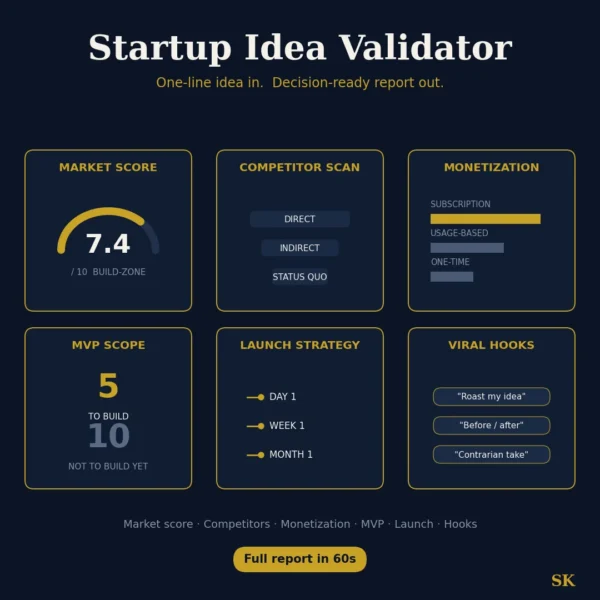
Startup Idea Validator
$8.99View skill
Skill · Business & Consulting
Agency Client Pack: Intake to Reporting is a Claude skill for Business & Consulting. Standardize your agency workflow with automated intake, SOWs, and reporting. It costs $8.99 on Agensi. It runs on any Claude plan, including Free. Part of the StrategistKit catalog of 190+ focused Claude skills.
10 credits — included with a membership (30 credits/mo).
Prefer a one-time purchase, without joining?
Buy once on Agensi (opens in a new tab)StrategistKit Affiliate. One-time purchase on Agensi. Payment, delivery and refunds are handled by the marketplace — see their policy for refund terms.
Overview
This skill runs the full client engagement lifecycle for agencies. Tell it your agency type (SEO, development, design, consulting, or other), engagement size, and any known client context. It then generates a structured intake questionnaire that surfaces budget, decision-makers, and success criteria before kickoff; a watertight SOW with explicit scope boundaries and change-order language; weekly status reports calibrated to demonstrate value concisely; milestone sign-off documents; and a retrospective template that doubles as a case study scaffold.
A realistic starting prompt: 'I run a 6-person performance marketing agency. New client, e-commerce brand, roughly $8k/month retainer, three-month initial engagement. Generate the intake questionnaire and SOW.' The skill asks four quick clarifying questions — industry, constraints, team size, audience for each document — then proceeds with smart defaults if you skip them.
Sample SOW scope boundary output: 'Included: up to 3 paid channels, monthly creative testing (2 ad sets per channel), bi-weekly calls. Excluded: landing page development, CRM integration, organic content. Change-order trigger: any new channel or deliverable not listed above requires a written amendment signed by both parties before work begins.' Every section follows that same pattern — specific, copy-paste ready, edge cases named.
Who it's for
Agency owners and account leads who currently write intake forms, SOWs, and status reports from scratch each engagement — or pull from inconsistent templates — and lose margin when scope boundaries blur or clients question deliverables mid-project. Particularly useful for small agencies (2-15 people) that lack a dedicated operations or project management function.
How it works
Add the .skill file to your Claude app. About 10 seconds.
Invoke the skill and paste in your material.
Review, keep what works, and use it.
In depth
A copy-paste prompt runs one static pass and stops. A skill is a bundled program — instructions, examples, and a workflow Claude runs as a unit: it asks for the right input, applies the same pattern every time, and returns the structured outputs above.
FAQ
Outputs are structured, copy-paste-ready text blocks: numbered questionnaires, headed SOW sections, tabular status report templates, and checklist-style sign-offs. They are formatted for direct use in Google Docs, Notion, or any client-facing document — no reformatting required.
You can request any single document in isolation — just describe your context and ask for, say, only the intake questionnaire or only the weekly status report template. The skill does not force you through the full sequence.
At minimum: your agency type and the engagement size or retainer structure. The more context you add — client industry, known goals, team size, timeline — the more precisely the SOW scope language and intake questions will be calibrated to your situation.
The skill produces professionally structured scope and change-order language, but it is not a substitute for review by a qualified attorney. Use the output as a strong working draft and have legal counsel review before relying on it in a dispute.
Yes. Specify whether the engagement is fixed-scope project or ongoing retainer during setup. The SOW, milestone sign-offs, and reporting cadence sections adapt accordingly — project outputs emphasize phase gates and final deliverable acceptance; retainer outputs emphasize monthly scope resets and renewal triggers.
More in Business & Consulting
Part of these collections
We use cookies for anonymous analytics (read more). Accept, decline, or choose for yourself.